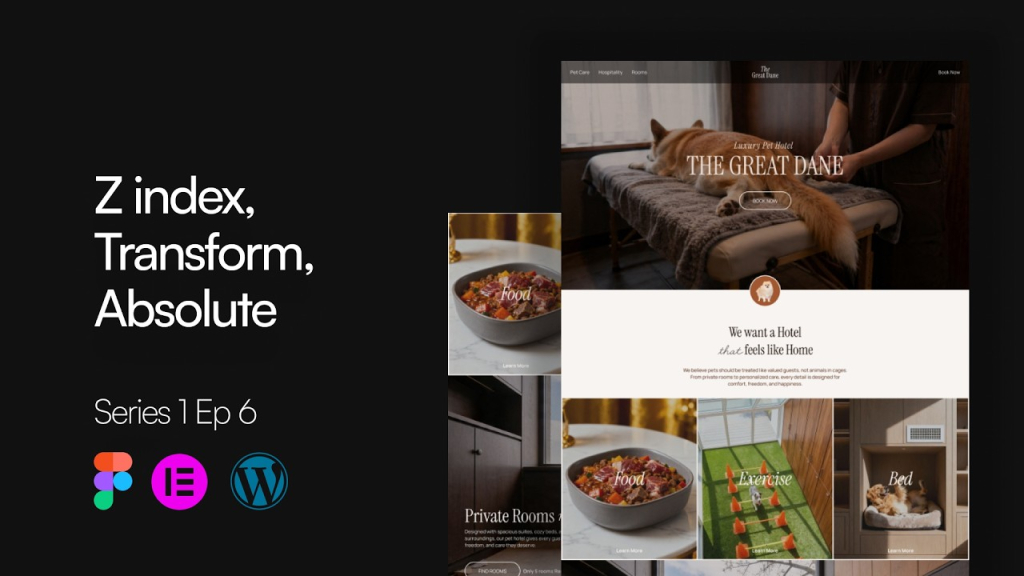
Learn How to Build a Hero Section in Elementor (Episode 3)
Build a complete hero section using Elementor containers, headings, images and call-to-action buttons while learning structure, alignment, sizing and visual hierarchy.
What is included in this episode
Hero container structure
Headings and supporting text
Image placement and alignment
Call-to-action button design
Instructor
Chan Soe
Designer
Chan Soe is the founder of Bold Label and a web designer with over six years of experience. He has completed more than 300 projects for local and international clients using WordPress, Elementor and modern UI/UX practices.
Htein Lin
Developer
A WordPress developer specializing in pixel-perfect design-to-development translation, building clean, well-structured site architecture on WordPress that matches designs exactly and performs reliably.
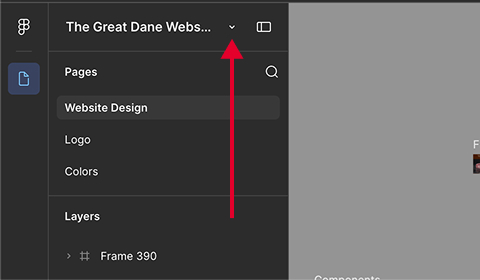
Click the dropdown arrow next to the file name at the top left.
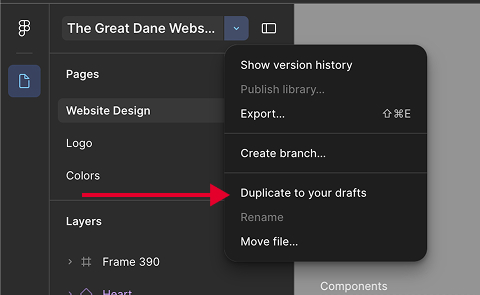
Click “Duplicate to your drafts” to save a personal, editable copy to your account.
Your figma file is ready.
FAQ
Do I need any prior experience to take this course?
No. This course is designed for beginners and walks you through everything step by step, from WordPress setup to a finished, professional website.
What will I actually be building?
You’ll build a real website based on a professional Figma design, following the exact same workflow a developer uses to turn a designer’s file into a working WordPress site.
What tools do I need?
Just WordPress and Elementor. The course also covers local setup, so you’ll learn how to get your development environment ready from scratch.
Will this course cover more than just design and layout?
Yes. Beyond Elementor and responsive design, you’ll also learn website structure planning, performance basics, and fundamental SEO practices.
Who is this course for?
Beginners starting out with WordPress, as well as freelancers, designers, and business owners who want to understand how professional websites are actually built.
What skill will I have by the end of the course?
The ability to independently build a professional WordPress website using Elementor, from initial setup to a fully responsive, structured final product.
Join the Community
Connect with fellow Myanmar students, share your website projects, get feedback from the instructors, and grow your career together.